
Features
Every feature your pest control company needs
Booking, scheduling, a technician app, service plans, invoices, team tools, safety, reports and more. Every feature is included on every seat.
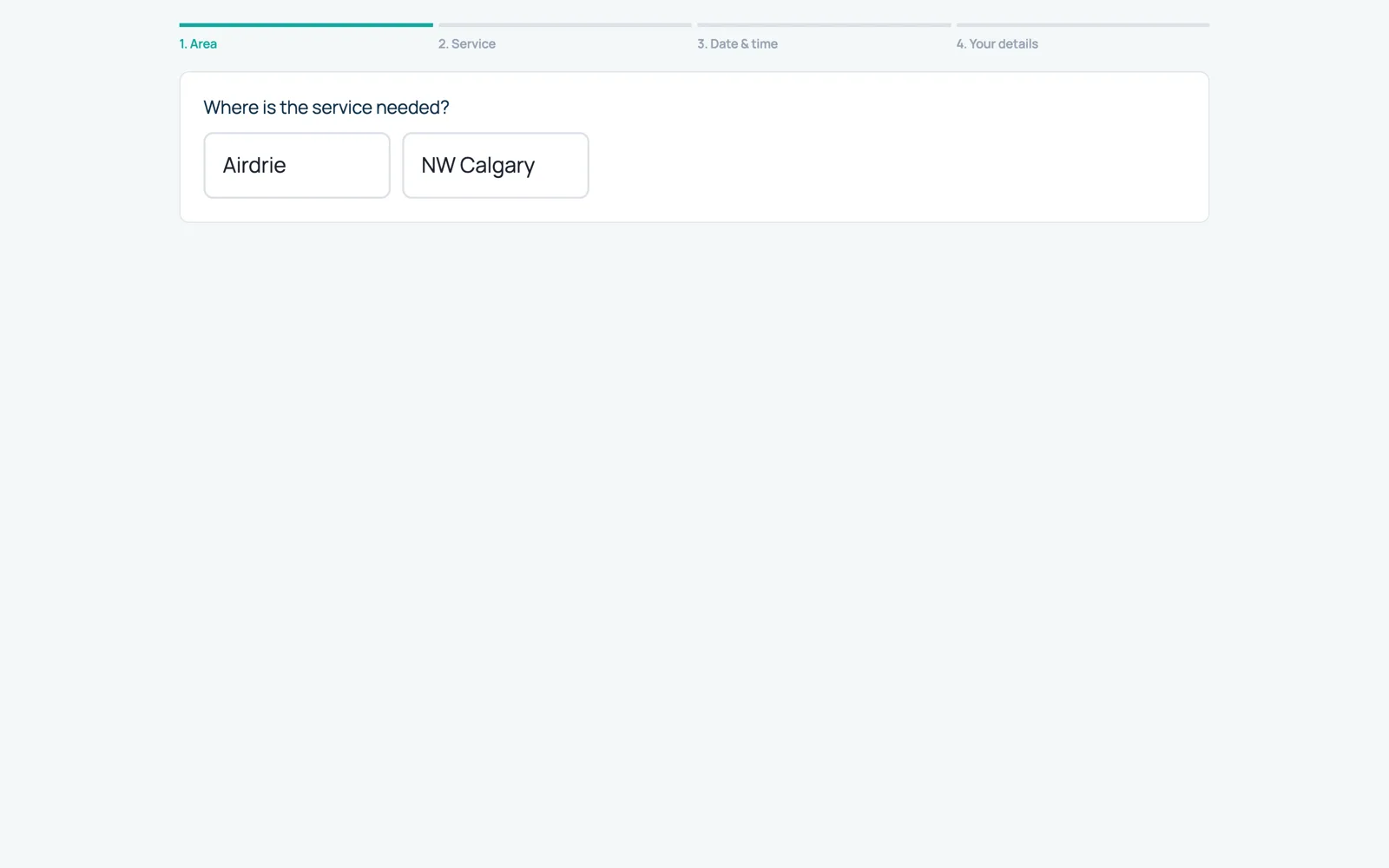
Online booking
Customers book from their address on your own branded booking page. They only see times when a technician who covers their area is really free.
See online booking →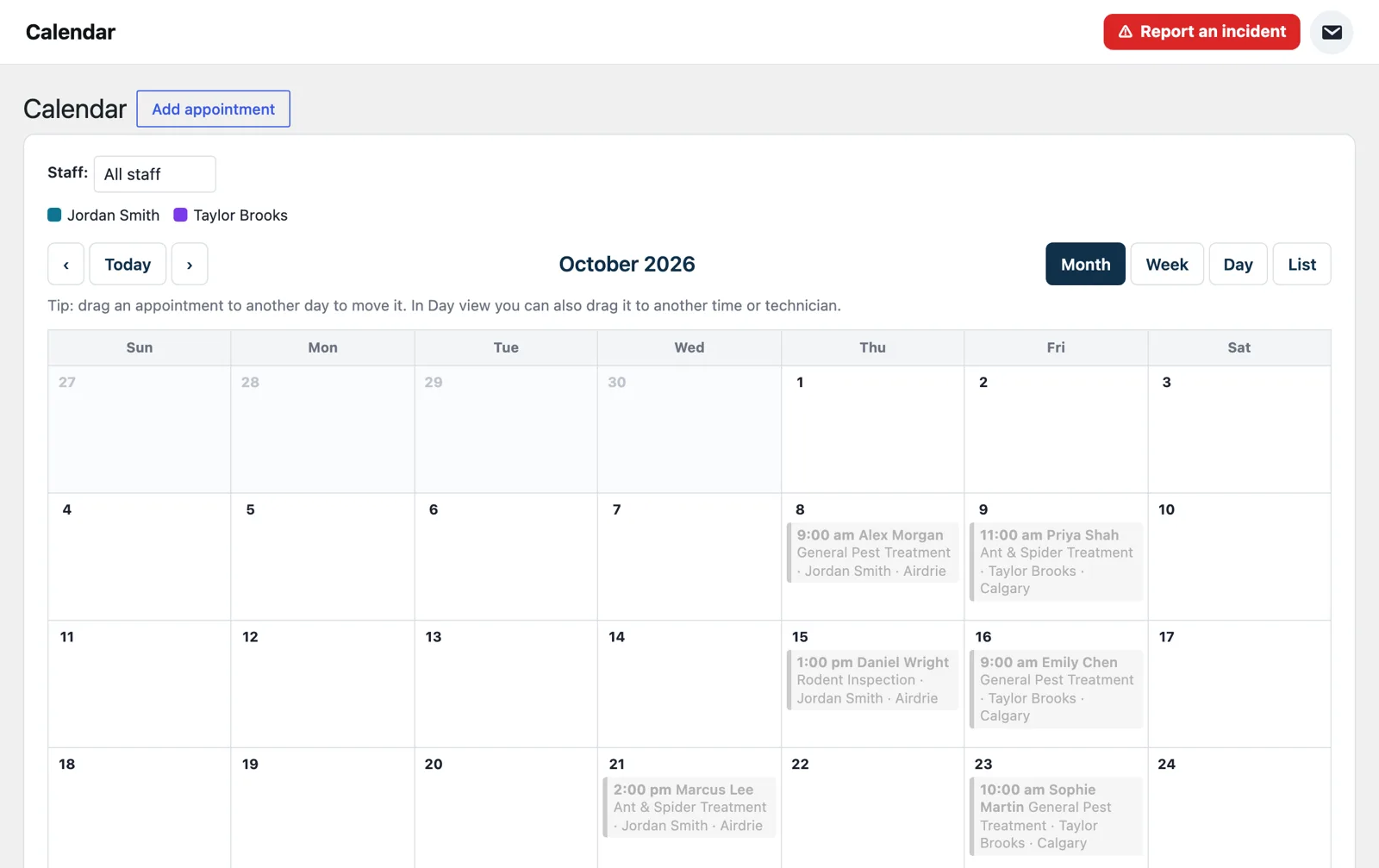
Scheduling
Day, week and month calendars with technician columns and drag and drop, so the office always knows who is where.
See scheduling →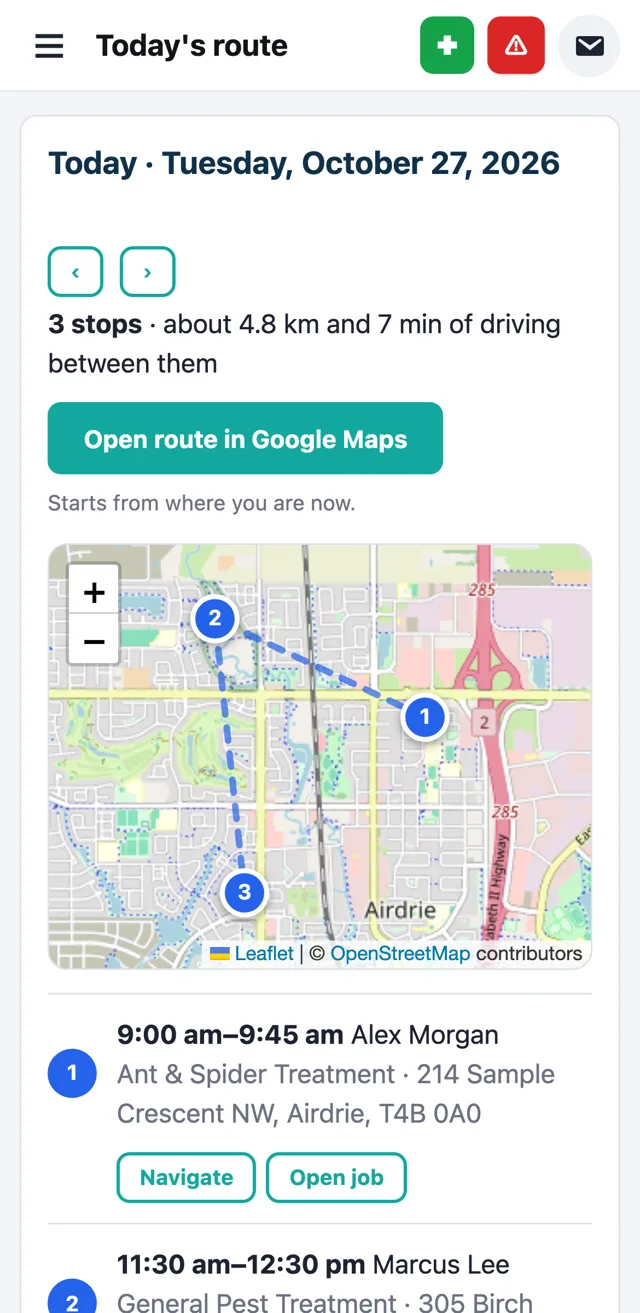
Technician app
Technicians start their shift, follow today’s route, open each job, record the treatment, take payment and get the invoice to the customer, all from their phone.
See technician app →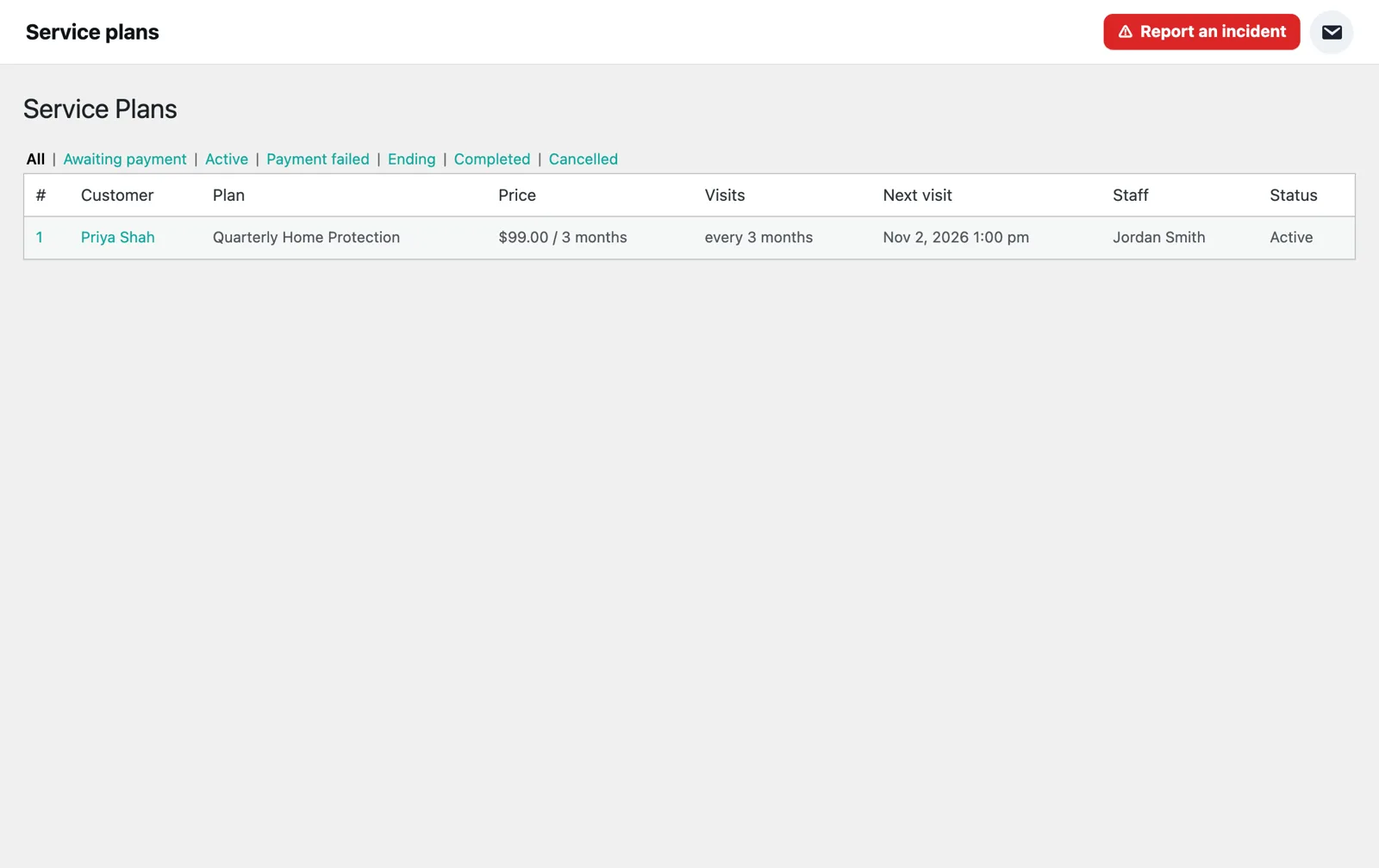
Service plans
Sell monthly, quarterly or seasonal protection plans. Every visit for the agreement is booked when the plan starts, and billing runs on its own.
See service plans →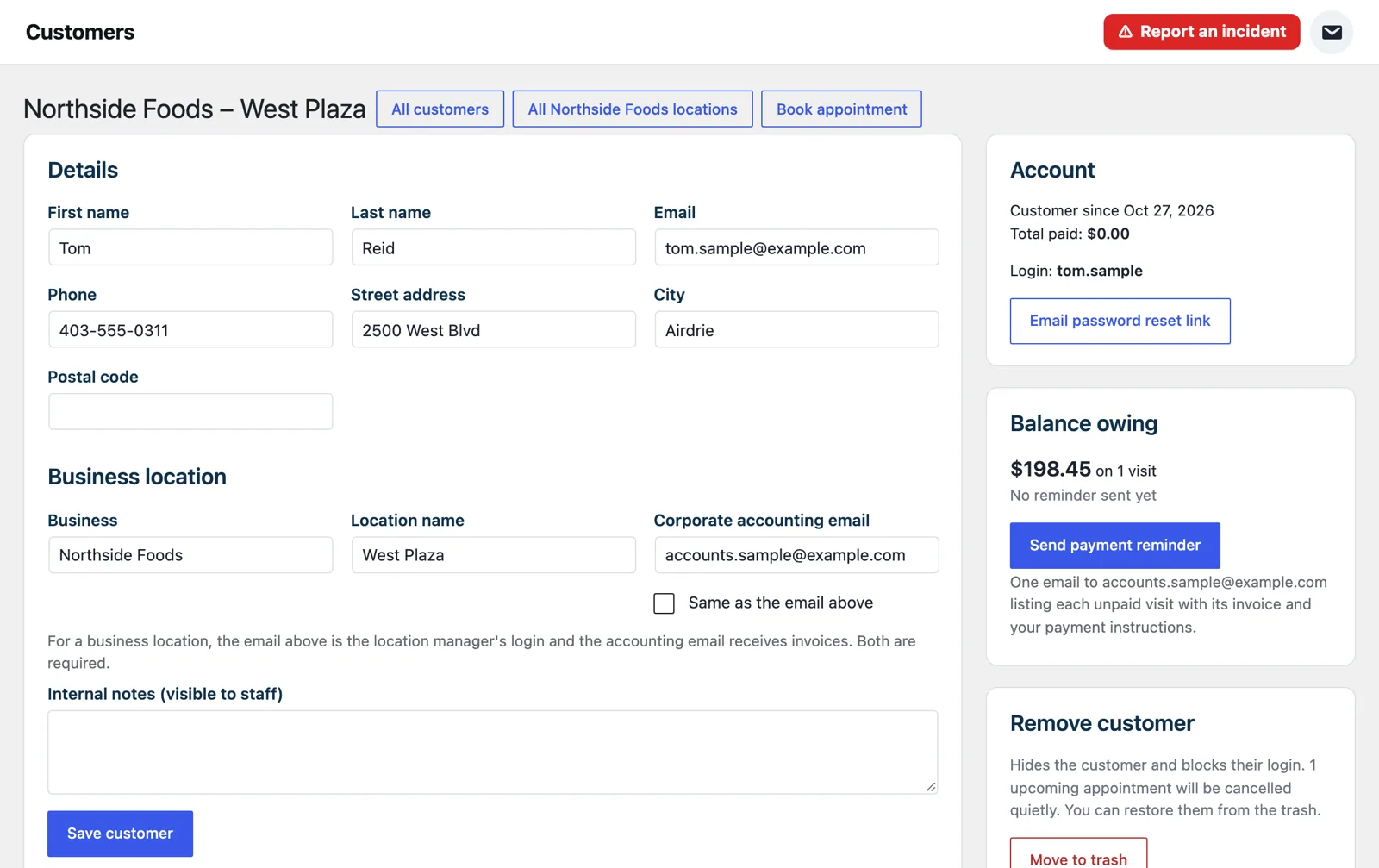
Invoices & payments
Branded invoices go out when the job is done. Customers pay by card or payment link, or you record cash, cheque and e-transfer yourself.
See invoices & payments →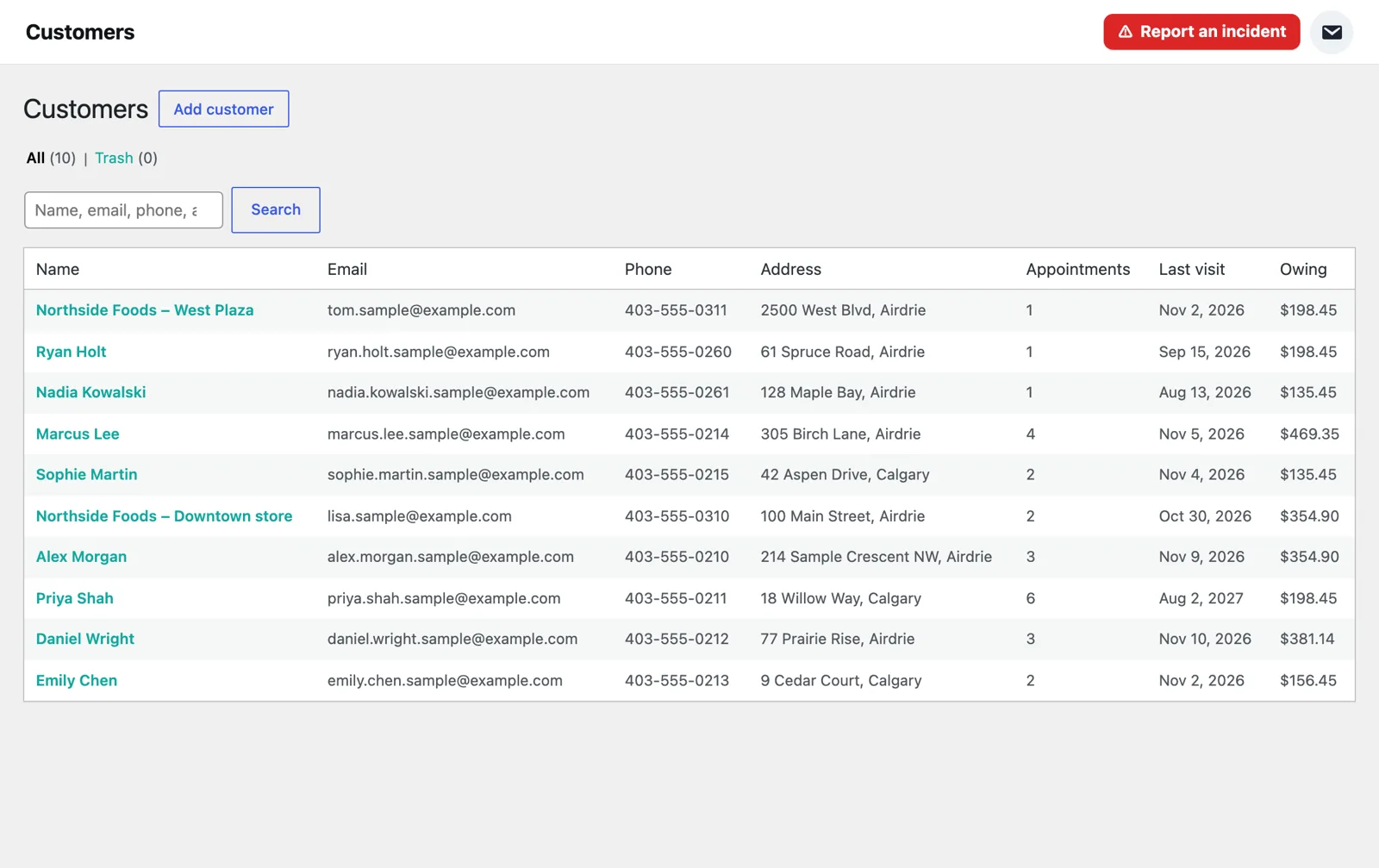
Customers & businesses
Every customer gets an account to see their visits, invoices and plans. Restaurants, property managers and franchises get one business with many locations.
See customers & businesses →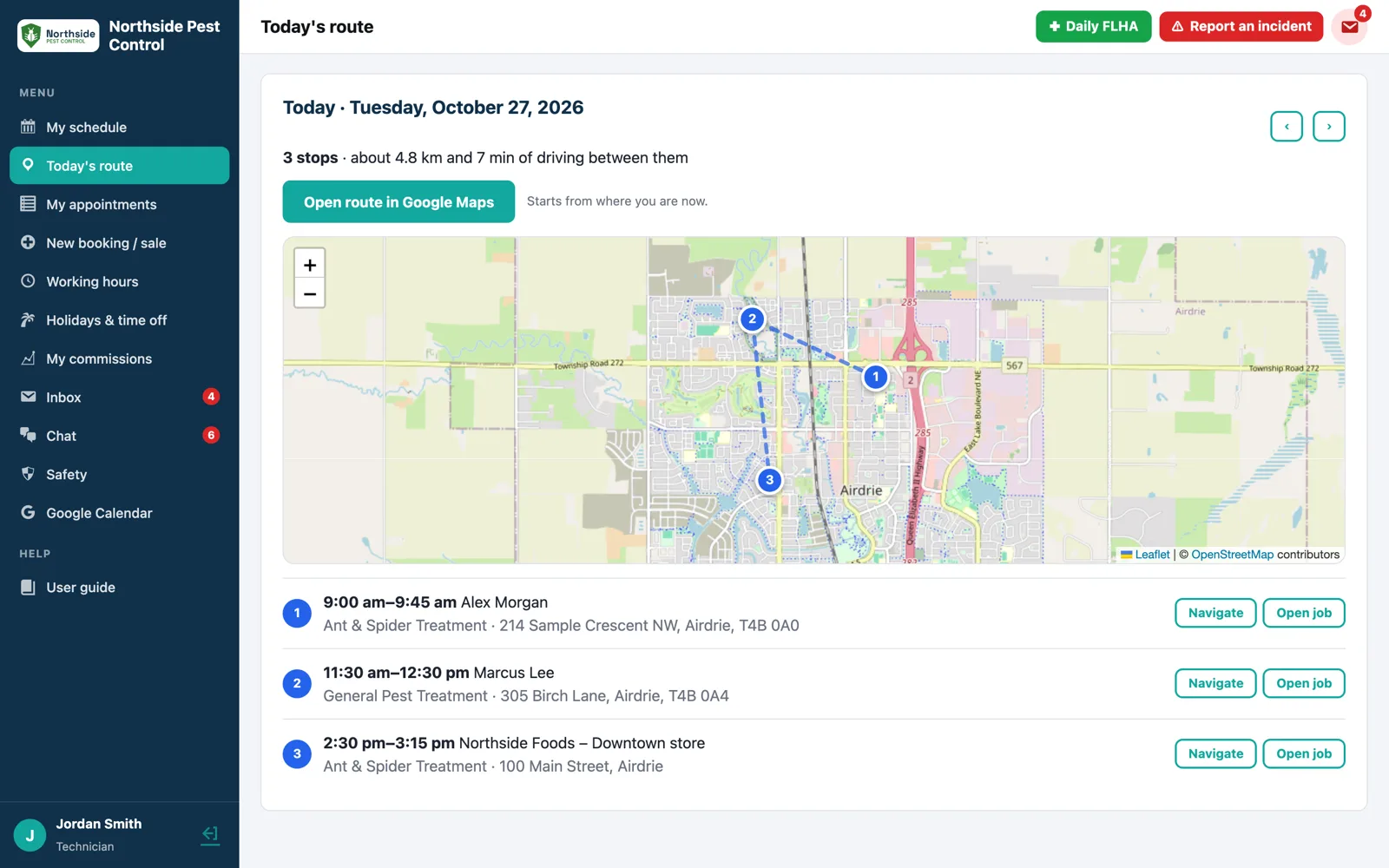
Routes & areas
CrewNavio knows where every job is. It suggests times when a technician is already nearby, gives each job to whoever drives least, and lays out each day as a route.
See routes & areas →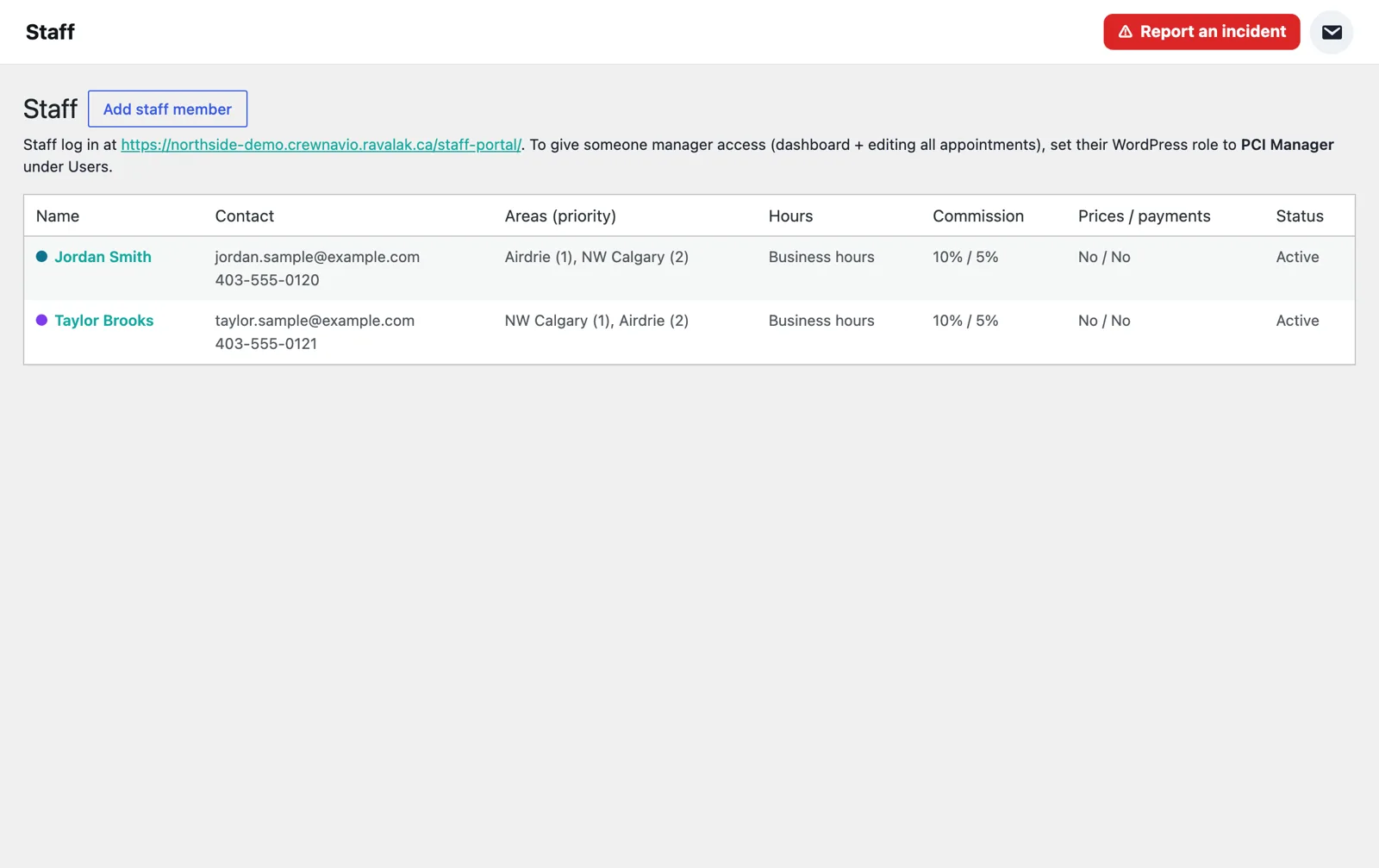
Team & time
Staff, permissions, chat, inboxes, timesheets and annual leave, so the office and the field stay in step.
See team & time →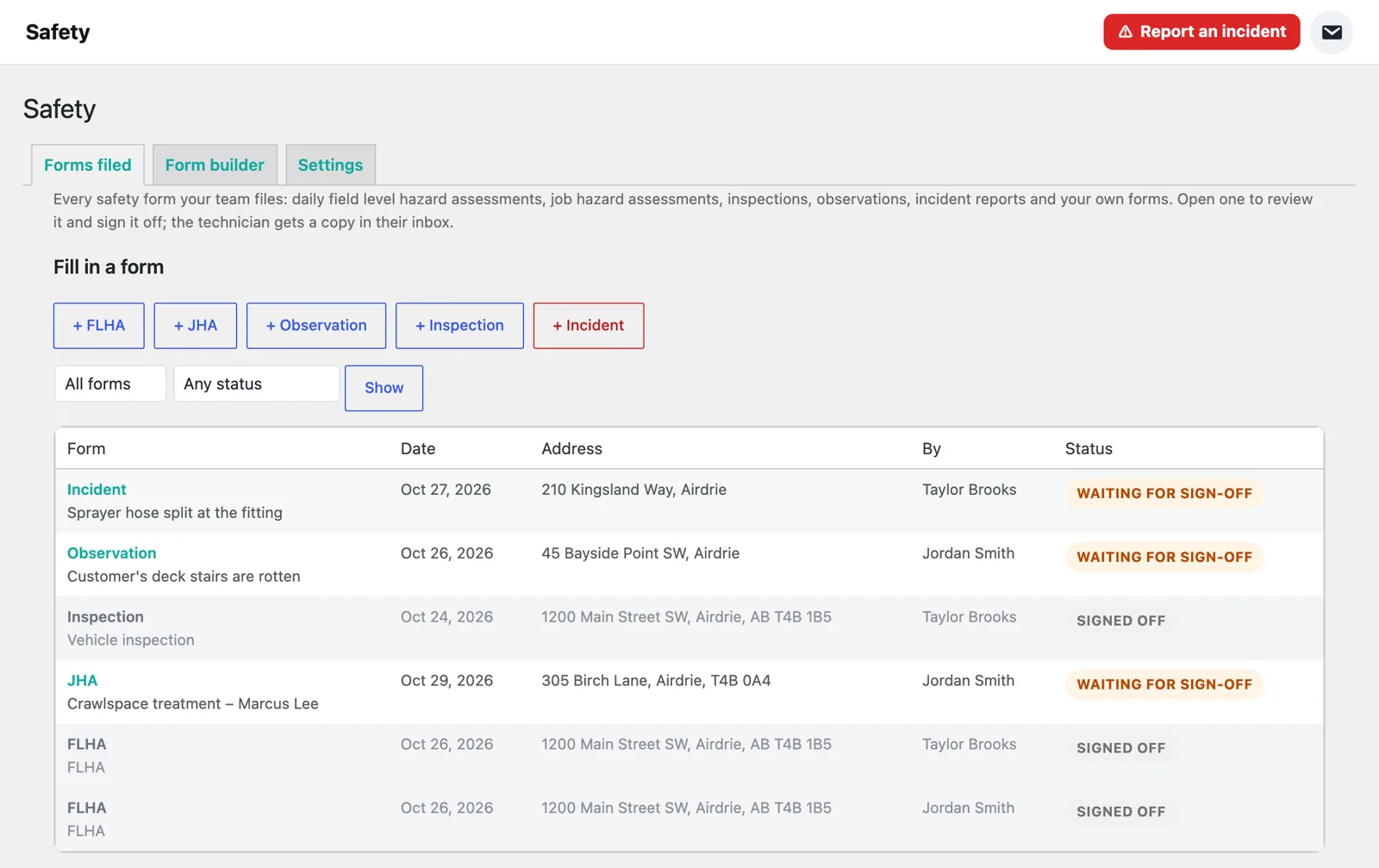
Safety
A daily field level hazard assessment, job hazard assessments from the appointment, inspections, observations and incident reports, all signed off by a manager.
See safety →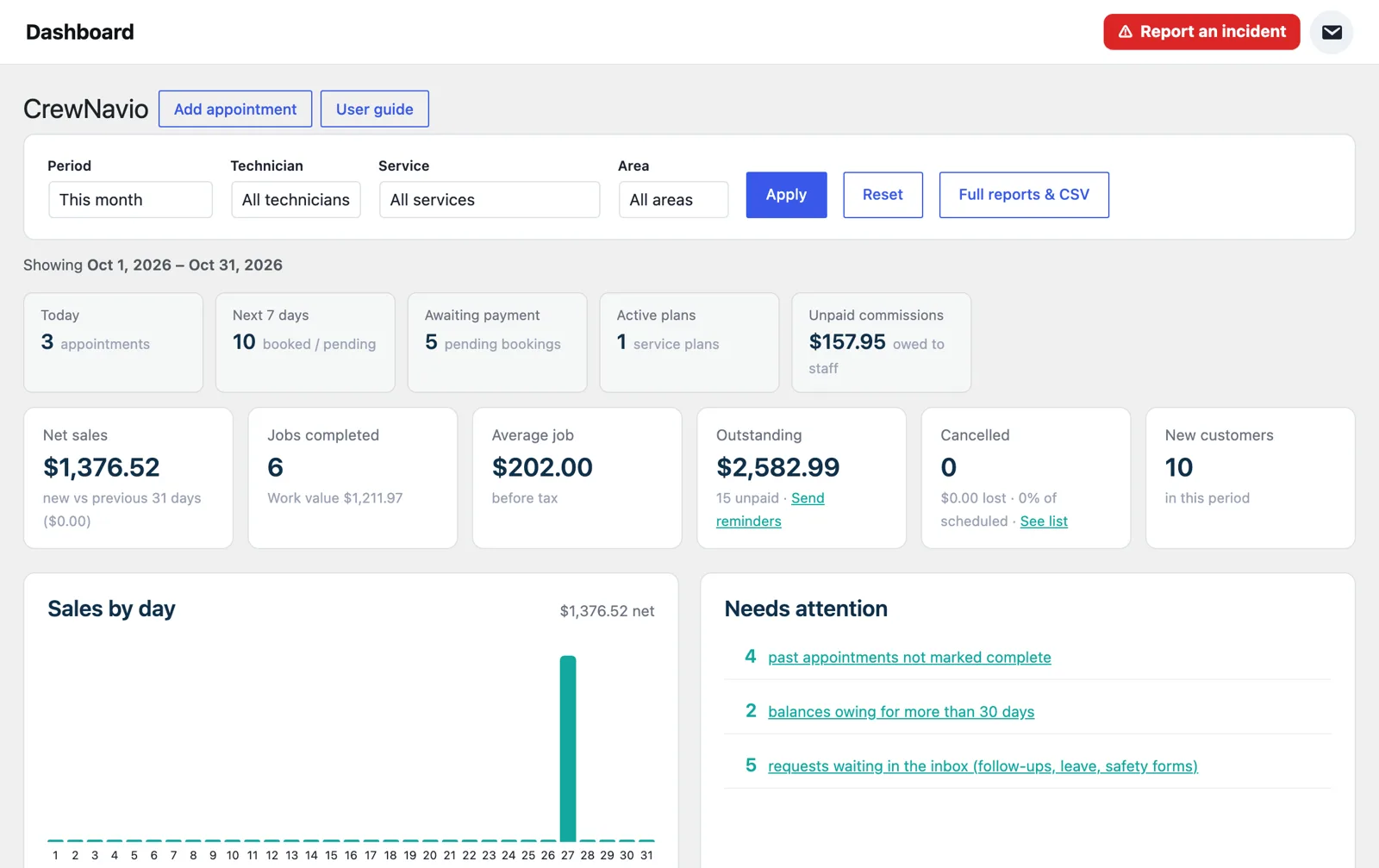
Reports & inventory
A dashboard for today, reports for any period, commissions for every technician and chemical stock that counts itself down.
See reports & inventory →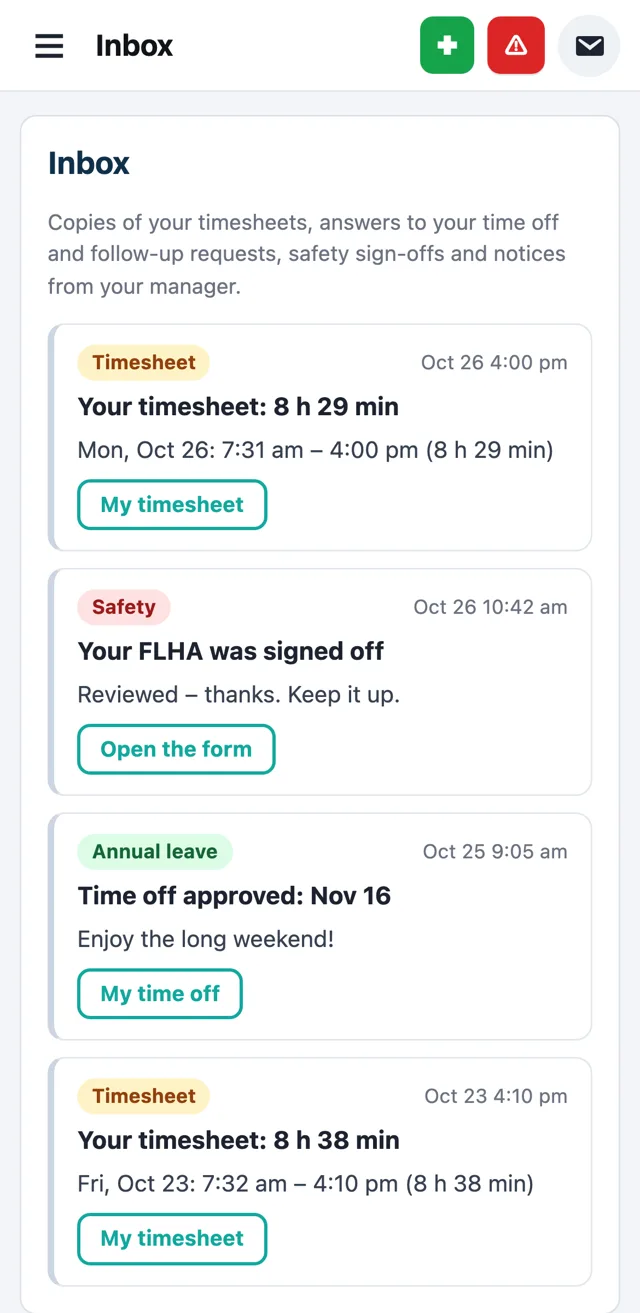
Emails, texts & newsletters
Confirmations, reminders and invoices go out on their own in your branding. Text messages and newsletters keep customers coming back.
See emails, texts & newsletters →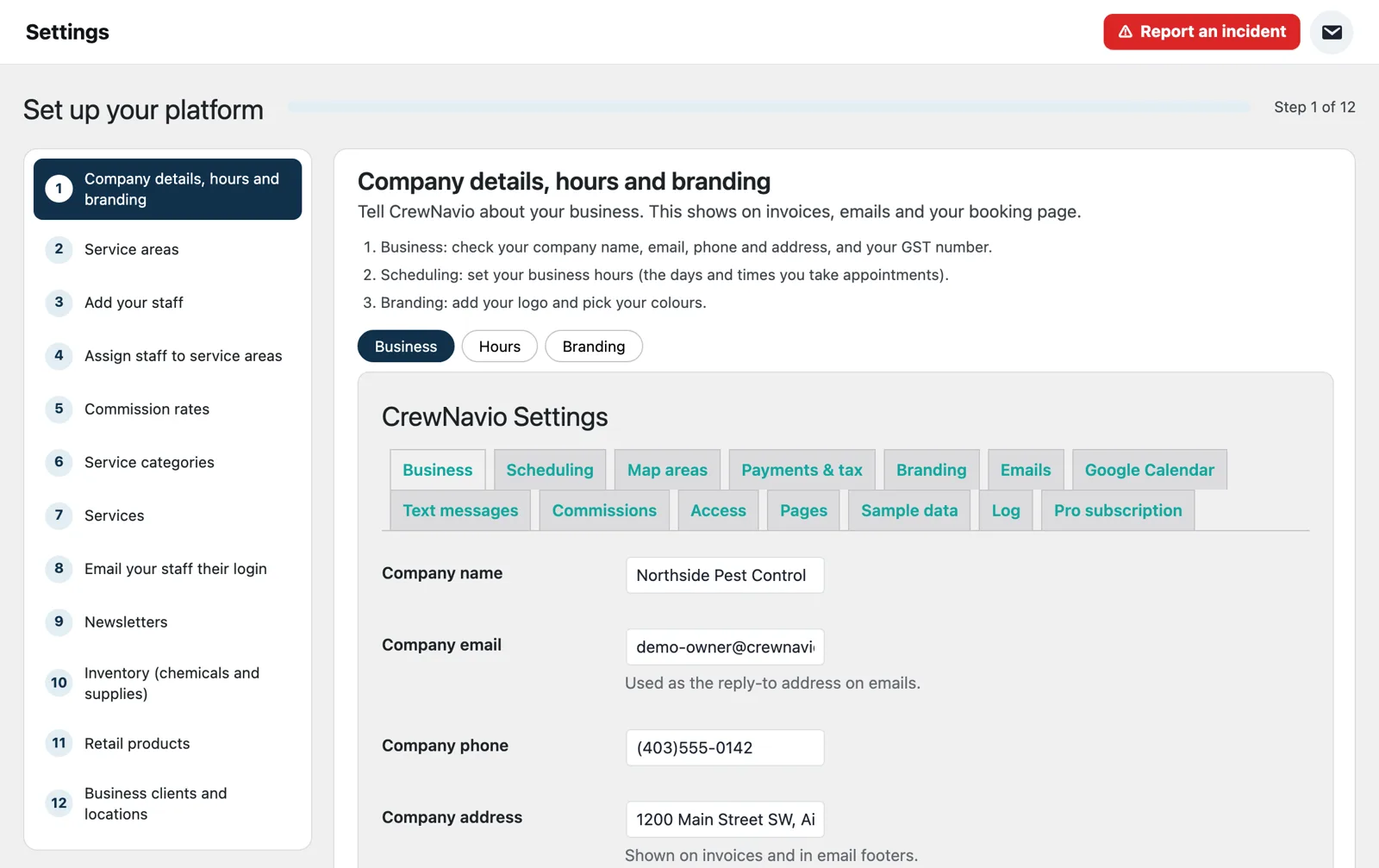
Setup & import
A setup wizard walks you through your company details, areas, staff, services and more. Bring your customers across from the software you use today.
See setup & import →The full list
Everything included with CrewNavio, by feature.
Online booking
- Customers pick their area, the service and a time that is really free
- Optional priced extras (for example wasp nest removal)
- Pay by card online, or choose cash, cheque or e-transfer
- Short link, website button code and a printable QR code
- Map areas with a priority order of technicians
- Cities or postal codes as a fallback
- No double booking: a technician is never booked for two jobs at once
- Suggested times when a technician is already working nearby
- Prices, length and travel gap for every service
- Categories and sub-categories
- One-time visits or recurring plans
- Confirmation and day-before reminder emails and texts go out automatically
Scheduling
- Day, week, month and list views
- Technician colours and columns
- Drag and drop to move a visit
- Completed jobs are greyed out on every screen
- Lead technician plus helpers, each with their own commission
- Payment status, payments recorded and balance owing
- Reopened jobs keep their records
- Follow-up visits requested from the job and confirmed by a manager
- Filters for status, payment, area and staff
- Booked, pending, complete and cancelled at a glance
- Plan visits marked “covered by subscription”
- Export to CSV
Technician app
- Stops on a map with driving distance and time
- Open the whole route in Google Maps
- Start shift with vehicle photos, and End day
- “On my way” texts to the customer
- Photos with markup notes
- Contracts signed on the customer’s phone
- Treatment record with products, amounts and where they were applied
- Temperature, wind speed and wind direction filled in from the weather
- My schedule for the week
- Working hours and split shifts
- Holidays and time off requests
- Commissions and Google Calendar sync
Service plans
- Monthly, quarterly, seasonal or custom plans
- Visits added to the calendar automatically
- Automatic plan billing by card
- See active, ending, cancelled and payment-failed plans
- Your own contract wording
- Signature, typed name and date on every copy
- Signed copies kept and emailed as a PDF
- Linked to the plan and the appointment
Invoices & payments
- Card payments and payment links
- Cash, cheque and e-transfer recorded by staff
- GST/HST worked out for your province
- Account statements and payment reminders
- Balance owing on every customer
- Reminder emails for unpaid invoices
- Outstanding totals on the dashboard
- Separate permission for who can record payments
Customers & businesses
- Upcoming and past visits
- Reschedule, cancel and rebook
- Invoices and online payment
- Imported customers can be invited by email
- Many locations under one business
- A login for each location manager
- Corporate billing to the accounting email
- Upcoming appointments across every location
- Products with prices and SKUs
- Stock counts and low-stock alerts
- Sold on visits or at the office
- Shown on the invoice
Routes & areas
- Stops in driving order
- Distance and time between stops
- Navigate to any stop
- Works on any phone
- Areas drawn on the map
- Technicians in priority order for each area
- Suggested times near existing jobs
- Each job given to whoever drives least
Team & time
- Owner, manager and technician roles
- Areas, working hours and commission for each person
- “Can change prices” and “Can record payments” permissions
- Email each person their sign-in details
- Manager and technician inboxes
- Approve requests in one place
- Team chat and private messages
- Everyone is told chats are recorded
- Hours and commissions per technician
- CSV for payroll
- Annual leave requests and approval
- Who’s off this month at a glance
Safety
- Daily field level hazard assessment (FLHA)
- Job hazard assessment (JHA) from the appointment
- Inspections and observations
- Incident reports with photos
- Red incident button everywhere
- Your own forms with the form builder
- Manager sign-off with signature
- Full history by technician and date
Reports & inventory
- Sales by day
- Outstanding balances and reminders
- Unpaid commissions
- Items that need attention
- Filter by period, staff, service and area
- GST/HST collected
- Export to CSV or print
- Chemical use report
- Stock by unit with low-stock alerts
- Used in the last 30 days
- Record deliveries
- Linked to treatment records
- Rates per technician or per job
- Owed and paid totals
- Mark commissions paid
- Shown to each technician in their app
Emails, texts & newsletters
- Branded emails with your logo and colours
- Text message confirmations and reminders
- After-visit and rebooking texts
- Quiet hours so nobody gets a text at night
- Your branding and your list
- Schedule or send now
- Click reports
- One-click unsubscribe
Setup & import
- Twelve short steps, each with the screen right there
- Skip any step and come back later
- Email your staff their sign-in details
- Your booking page is live as soon as you are ready
- Fieldwork, FieldRoutes, PestPac, GorillaDesk, Jobber or CSV
- Columns matched for you
- Checked before anything is saved
- Every import can be undone
Every feature, one price per seat
$79.99 CAD per seat per month, with a 30-day free trial. Your platform is ready in a few minutes.